
How to Claim a Payout Link
When you receive a Payout Link via SMS or e-mail, you must go through the processes of claiming the Payout Link to receive your funds. Please follow the following steps:
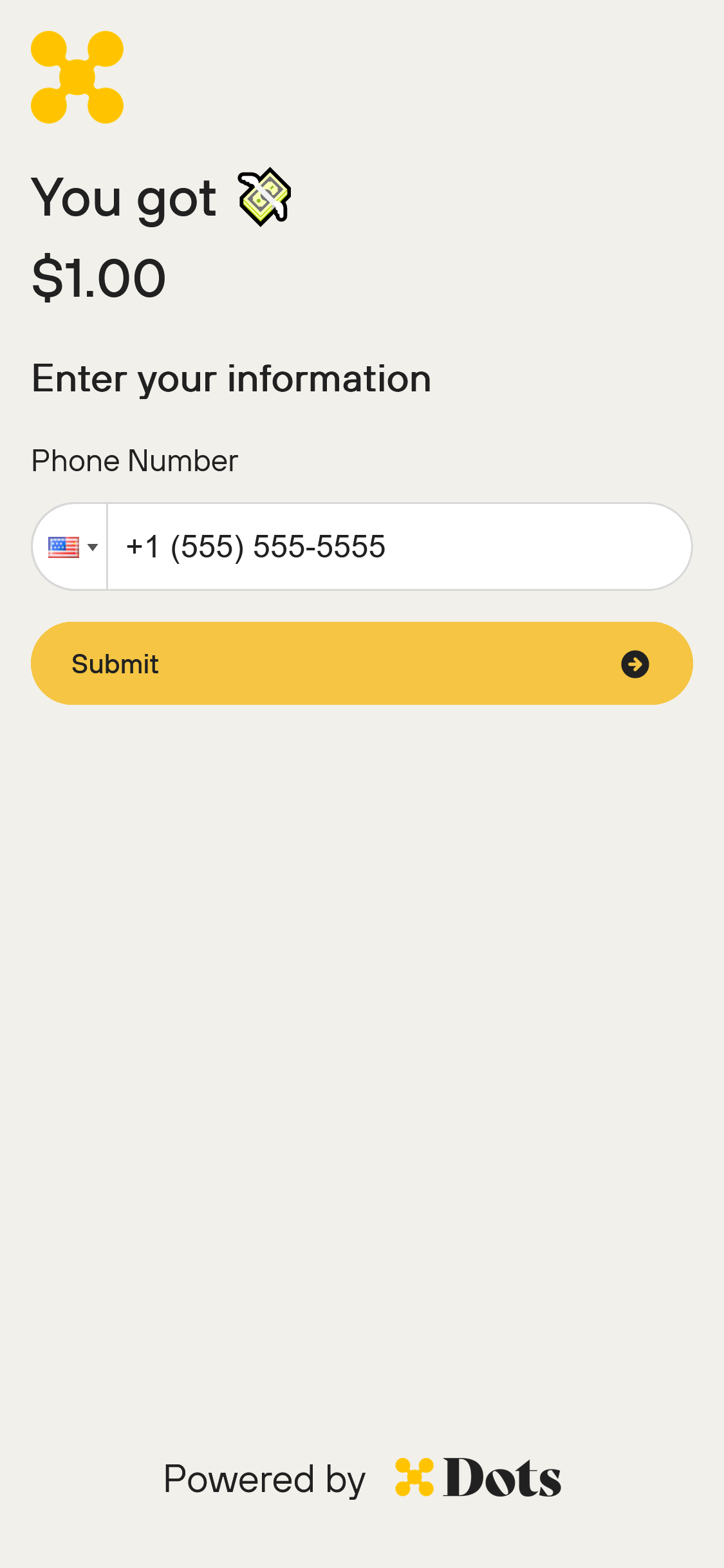
1. Enter Your Phone Number
Enter you phone number and click "Submit". Your phone number may already be filled in. If the filled in phone number does not match your phone number, please reach out to the platform that paid you to update your phone number.
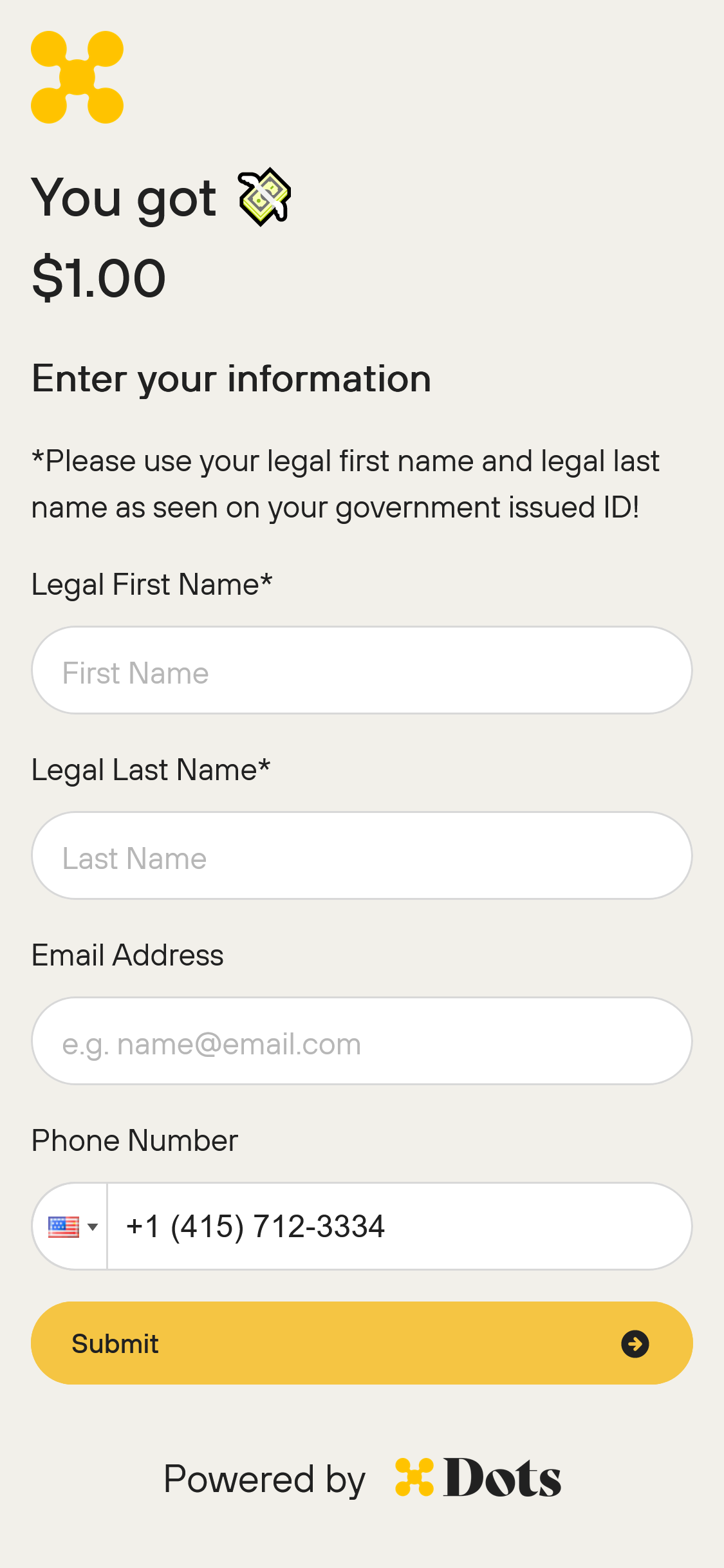
2. Enter Your Personal Information
If this is your first time using Dots, you will need to enter in your personal information such as name and e-mail address.
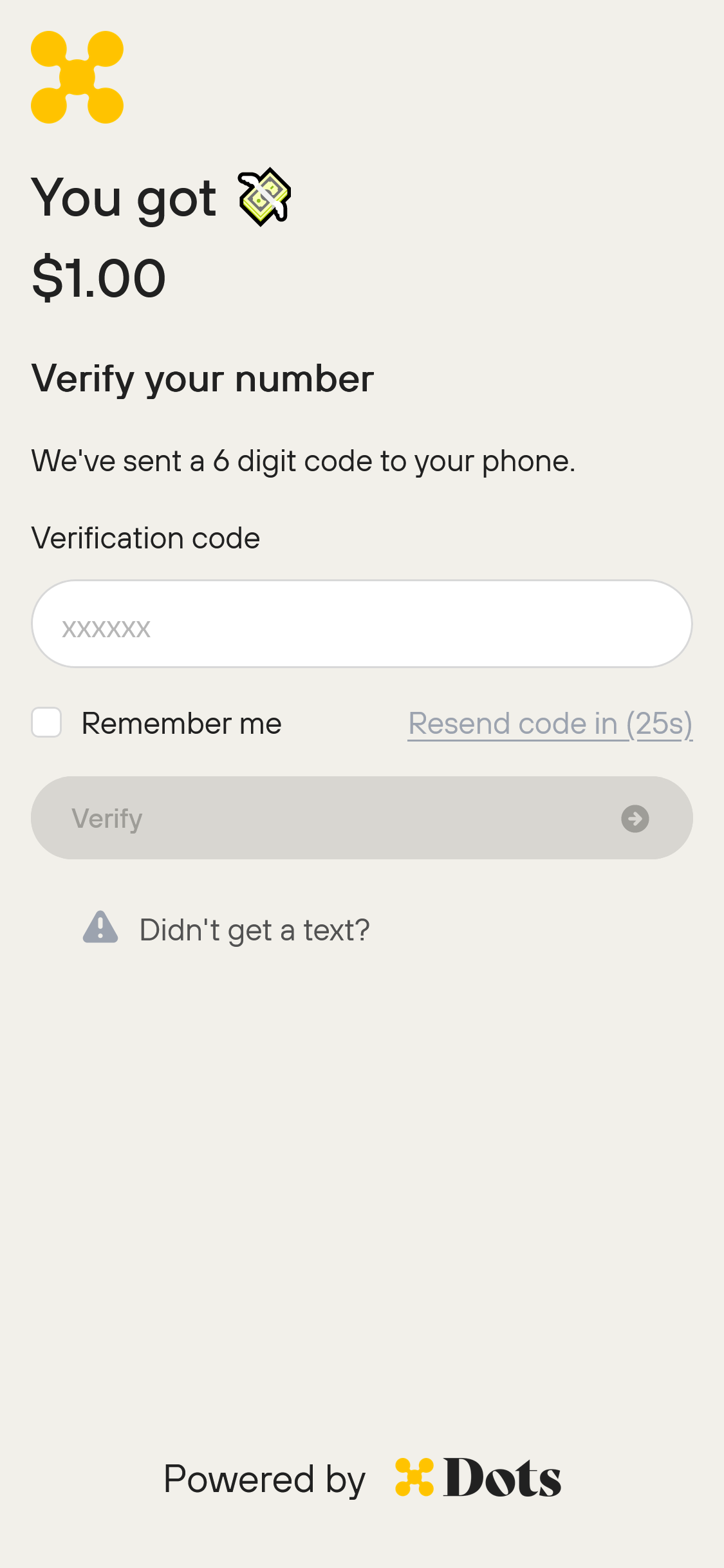
3. Phone Number Verification
Enter the token sent to your phone.
3. 1099 Form
Depending on your location and the size of your payout, you may have to fill out a 1099 form.
Please ensure that you have filled in your legal name, SSN without any dashes, date of birth and mailing address.
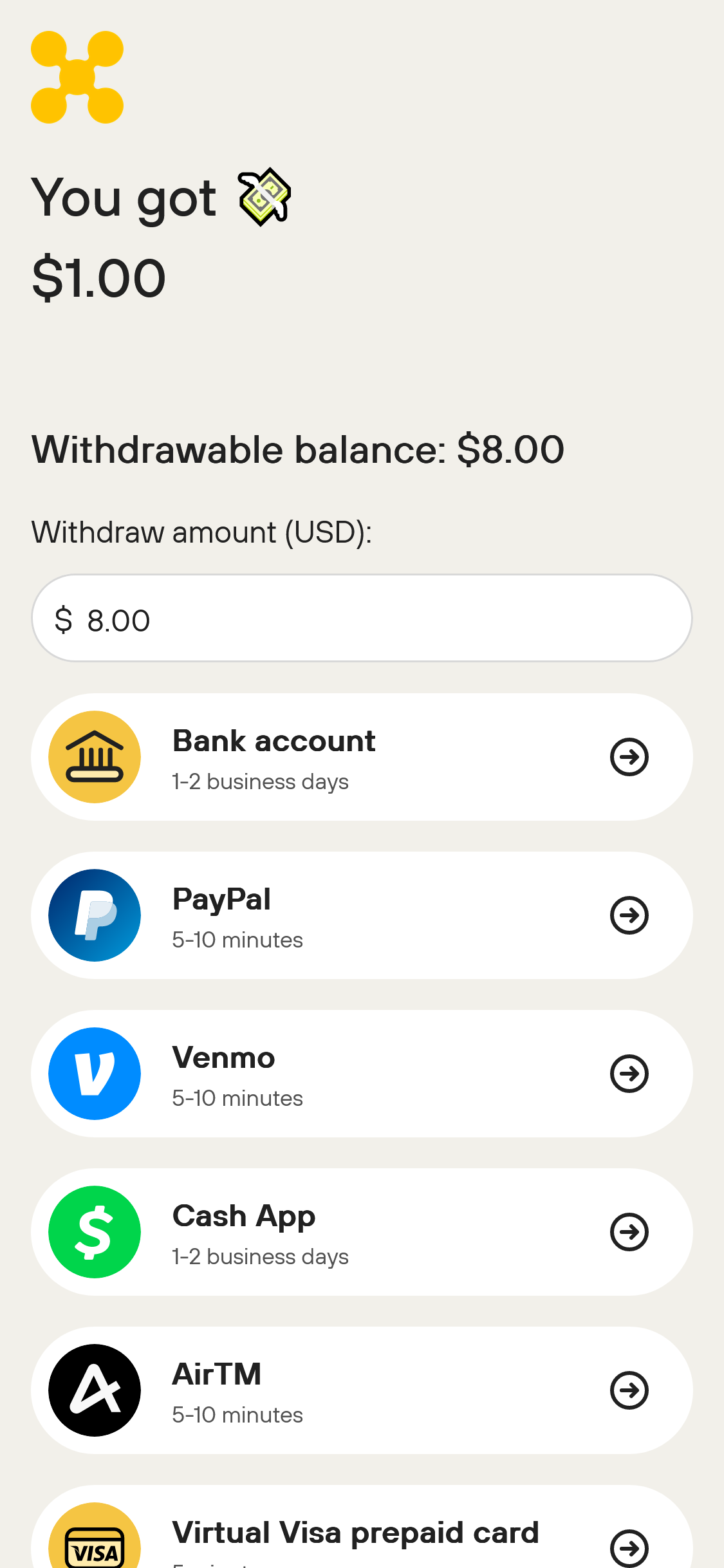
4. Select a Payout Method
Once you have filled out all the necessary information, you can select the method that you will use to pay out.
Every method available to you is listed with its relevant payout time frame.
Enter in the amount you would like to withdraw and then click on the desired payout method.
5. Enter In Payout Details
Each payout method requires different details. Enter the required information and click "Submit".
For more information on CashApp Payouts click here.
For more information on PayPal Payouts click here.
6. Wait For the Payout to Complete
Depending on the payout rail, it may take up to 3-5 business days to complete. You will receive and e-mail once the payout completes.
Your Payout Link is missing, expired, won't load, or is no longer active
If your Payout Link never arrives, has expired, won't load, or is no longer active, the paying platform must resend or replace it. Recipients can't resend a Payout Link themselves, and Dots support can't replace it for you — contact the company that sent you the payout and ask them to send a new link.
The link never arrived
Payout Links are delivered by email, SMS, or a manual link, depending on what the payer chose. Check the inbox or phone number the payer has on file for you. If it's still missing, contact the paying platform and ask them to resend the link.
The link expired
A Payout Link expires 30 days after it's activated. If you open an expired link, you'll see "This page is missing or expired" and "This flow is no longer available. Request a new link to continue." Contact the paying platform to request a new link.
The link won't load
If the page shows "This page could not be found" or "Check the link and try again," the link may be invalid or copied incorrectly. Re-open the link from the original email or message, or ask the payer to resend it.
The link is no longer active after you verify your phone number
If the page shows "This payout link is no longer active. It has failed." right after you enter your verification code, the Payout Link has failed and can't be restored. This screen has no retry or reset option, and resending your verification code doesn't reactivate the link.
Contact the platform that sent you the payout and ask them to issue a new link. Dots support can't replace a failed link, and no one can restore the original one. The issuing platform creates a new link from Send Payouts > Generate Link.
After you claim a working link, if your payout is delayed or the funds don't appear, see Where is my money?.